Subscribers
34 900
YOUTUBE SHOWS "34.9K subscribers"

Laura Coyle Illustrator has 34 900 YouTube subscribers and 705 907 views across the 90 videos we track, counted Sep 17, 2026.
Hi, I’m Laura—an illustrator who teaches Adobe Illustrator On my channel, I share practical tips and creative techniques to help you get the most out of Illustrator, whether you're just starting out or refining your skills. 📩 Get my free learning session on repeating textures, plus a brush set and my favorite Illustrator tips. Sign up here: https://eepurl.com/gJNbQn If you want clear, step-by-s
 New Pattern Fills in Adobe Illustrator (30.8): How to Recolor and Edit Them
 How to Create a Stamp Texture Effect in Adobe Illustrator (Appearance Panel Tutorial)
 How to Make an Isometric Type Action in Illustrator
 How to Expand a Radial Repeat in Illustrator and Fix Overlap
 Using Adobe Color to Build Palettes for Adobe Illustrator
 Edit Colors in Illustrator: How to Read a Color Palette's Personality
 How to Draw Smooth Lettering in Illustrator on the iPad (Pencil Tool + Combine Shapes)
 Preferences in Adobe Illustrator: New Settings Worth Knowing About
 How to Prepare Vector Art for Print in Illustrator (Expand, Merge, Clean Up)
 How to Use Compound Shapes in Adobe Illustrator | Pathfinder Editing Tip
 How to Move Color Swatch Groups Between Illustrator Documents
 White Lines in Illustrator Patterns? Here’s the Fix
 Adobe Fresco Send to Illustrator Not Working? Export as PSD Instead
 Getting Started with Astute Graphics
 How to Export a Logo in Multiple High Quality Formats from Adobe Illustrator
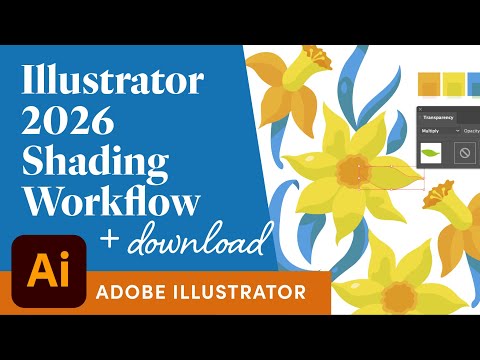 Illustrator 2026 Shading with the Shape Builder Tool Exercise with Download
 Make a Brush and Repeat Pattern from Images in Adobe Illustrator
 Artboard New Features in Adobe Illustrator 2026
 How to Select Multiple Objects in the Layers Panel in Illustrator
 Scale Artwork with Artboard NEW Feature in Adobe Illustrator 2025 Explained
 How to Install and Use Scripts in Adobe Illustrator (SO Easy!)
 Pattern Fills: How to Scale and Transform Patterns in Illustrator
 Use Illustrator's Eyedropper Outside Illustrator
 How to Use Mockup with Patterns in Illustrator
 Trim Artwork to an Artboard in Illustrator
 How to Use MirrorMe a Live Symmetry Plugin by Astute Graphics for Illustrator
 How to Save Presets for Exporting in Illustrator Export for Screens
 Recoloring with Tints in Adobe Illustrator Using Pantone Mocha Mousse and Global Swatches
 How I Use Adobe Illustrator on the iPad - Quick Demo
 Using the iPad as a Drawing Tablet for Illustrator with Astropad 2025
 New Illustrator 2025 Color Swatch Features, Create Color Chips Info
 Clean Up Vectorized Artwork! 3-Step Illustrator Workflow
 4 Smarter Ways to Use Symbols in Illustrator
 The Illustrator Trick That Instantly Speeds Up Your Workflow
 Adobe Illustrator Pathfinder Panel Explained! Understand Your Shape-Merging Options
 What’s New with Artboards in Adobe Illustrator 2025 | Faster Workflow Tips
 How to Arrange Objects Evenly on the Artboard in Adobe Illustrator
 Save Time with Saved Selections in Illustrator
 Radiant Rays with Illustrator Symbols + Objects on Path
 Resolution and Exporting from Adobe Illustrator